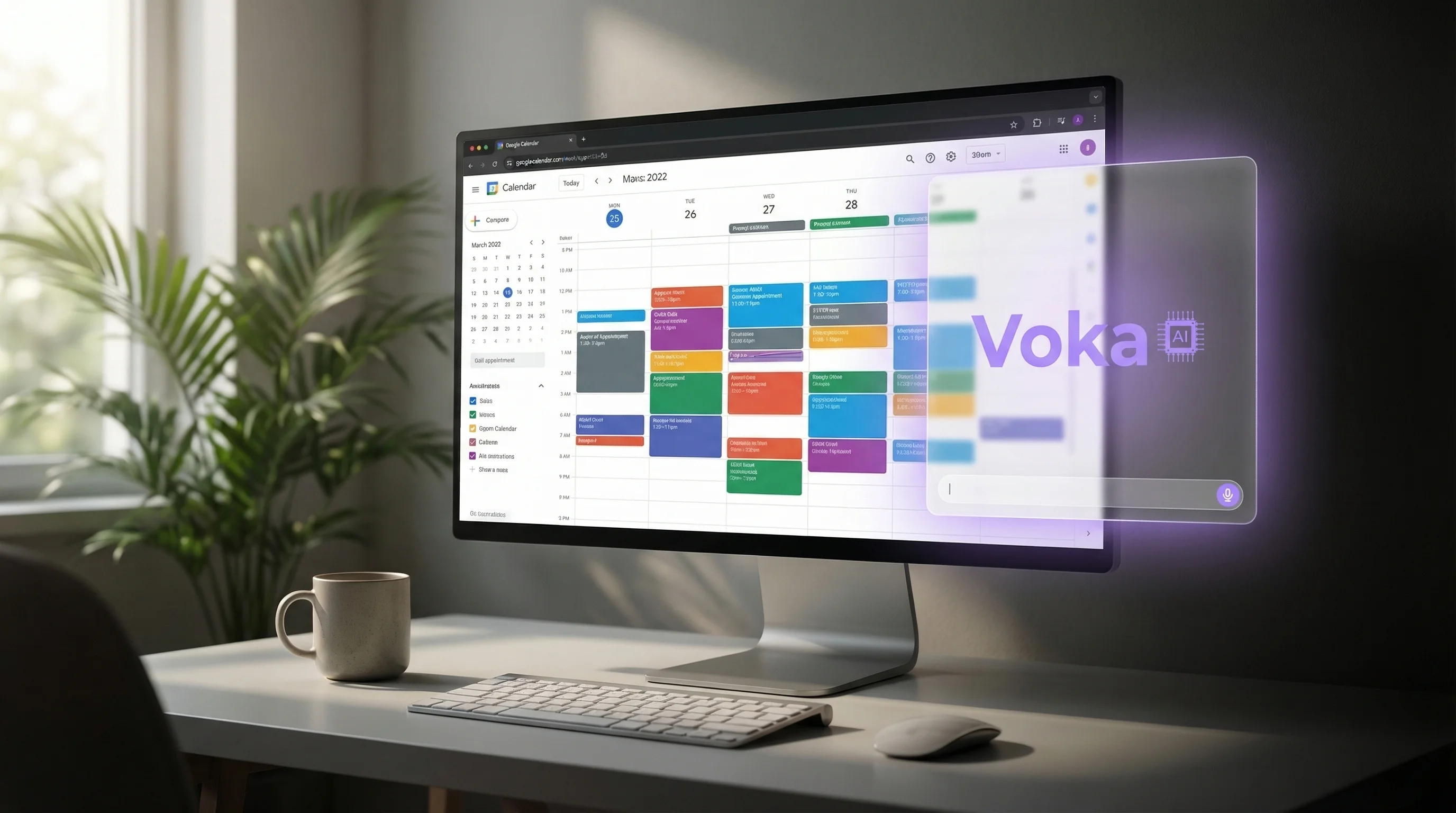
 Google Calendar+Voka AI
Your Google Calendar
Already Knows When You're Free.
Now It Answers the Phone.
Voka AI connects to the Google calendars you already run your business on. It answers every call, checks live availability, and books, reschedules or cancels the appointment as a calendar event while the caller is still on the line.
The Opening Was on Your Calendar. Nobody Offered It.
Every unanswered call is a client booking with someone whose phone was picked up.
You are with a client, the phone rings, and the booking goes to voicemail
For therapists, consultants, contractors and tutors, the person who answers the phone is the person doing the work. Most callers who reach voicemail do not leave one; they call the next listing.
Voka AI answers right away, checks your Google Calendar while the caller is on the line, and books an open time without interrupting you.
Phone bookings mean writing it down now and typing it in later
A time scribbled on a notepad is a double-booking waiting to happen. It has to be typed into the calendar, and until it is, the slot still looks open to everyone else.
Voka AI creates the event directly on the right Google calendar during the call, so the slot is blocked the moment the caller says yes.
After-hours callers do not wait for the morning
Someone finds you at 9 PM, calls, hears nothing, and books with whoever answers. Your calendar had the opening; nobody was there to offer it.
Voka AI answers around the clock, reads tomorrow’s availability from your calendar, and books the next open time before the caller moves on.
Several people, several calendars, one phone number
When a caller asks for a specific person, whoever answers has to check that person’s calendar, and a wrong guess puts the appointment in the wrong place.
Map each Google calendar to a team member once. Voka AI books a request for a named person onto their calendar and everything else onto your default.
Connected in One Sign-In
Four steps. No developer, no export, no new calendar to maintain.
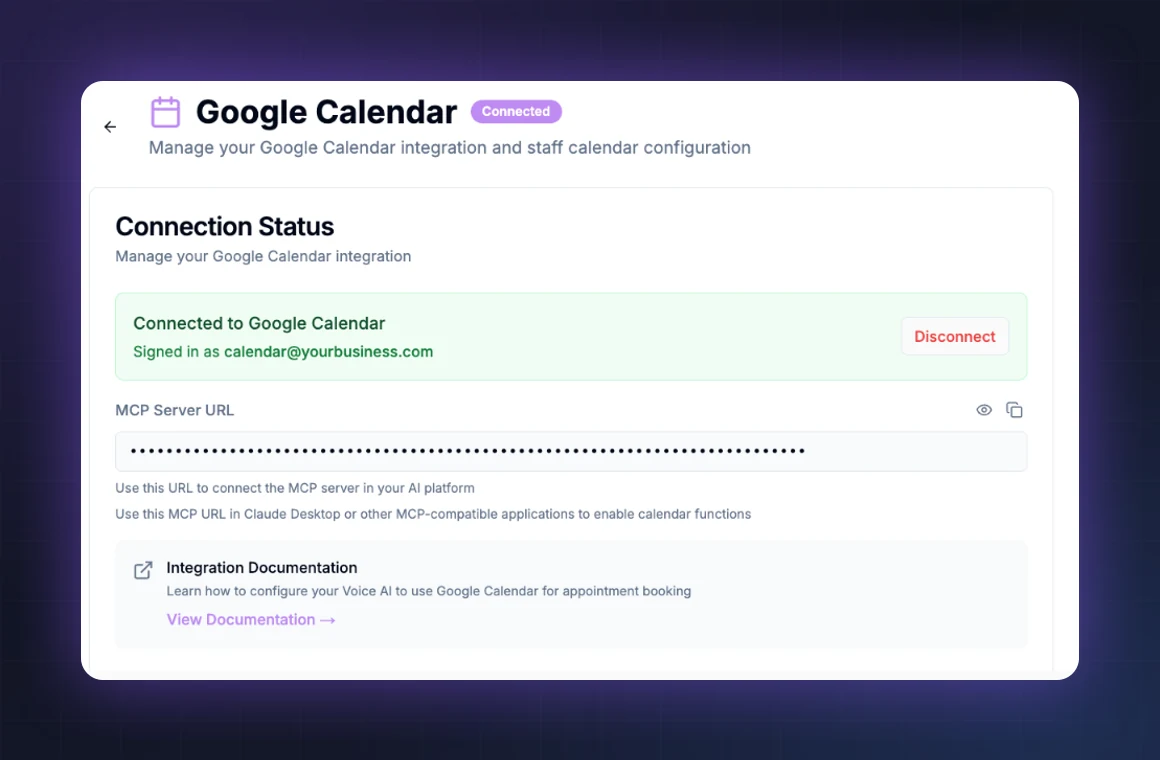
Connect Your Google Account
Turn on the Google Calendar add-on in your Voka AI dashboard and sign in with Google. It works with Google Workspace and personal Gmail calendars alike. Voka reads availability from the calendars you connect and never edits an event it did not create.
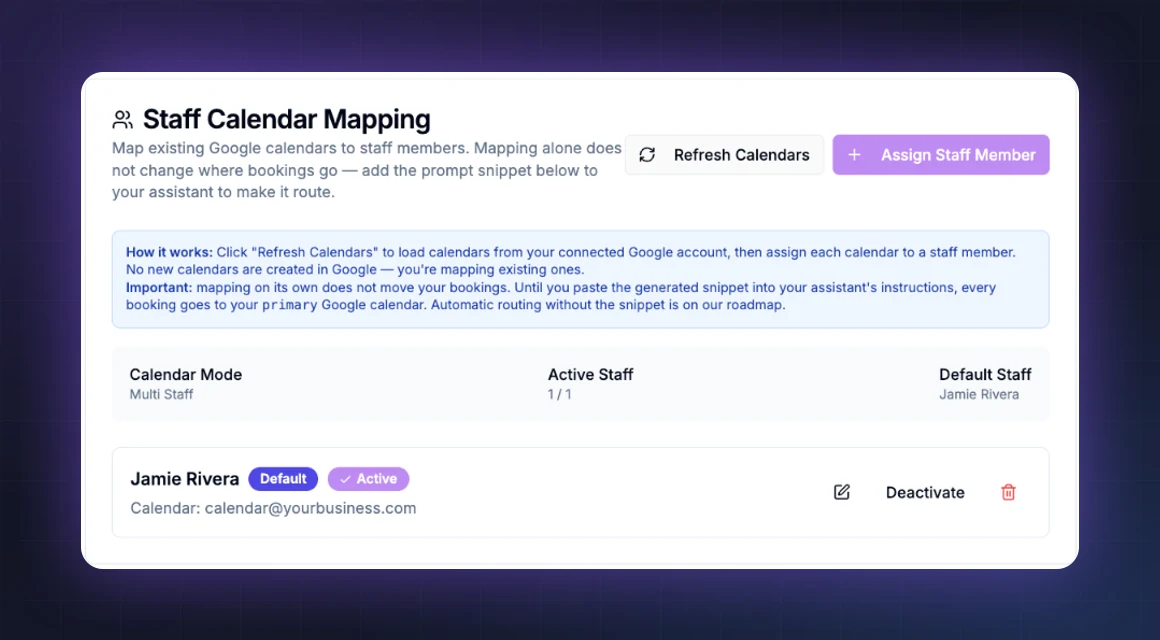
Map Calendars to Your Team
Point each existing Google calendar at the person who owns it. From then on a request for a named team member lands on their calendar and anything else lands on your default one. Solo practice? Skip this step; everything goes to your primary calendar.
Fine-Tune Your Assistant
Choose a voice, write your greeting, and tell Voka what you offer and how long each service runs. Google Calendar has no service list of its own, so this is where the assistant learns to book a 30-minute consultation differently from a 90-minute session. Add transfer rules for the calls you still want yourself.
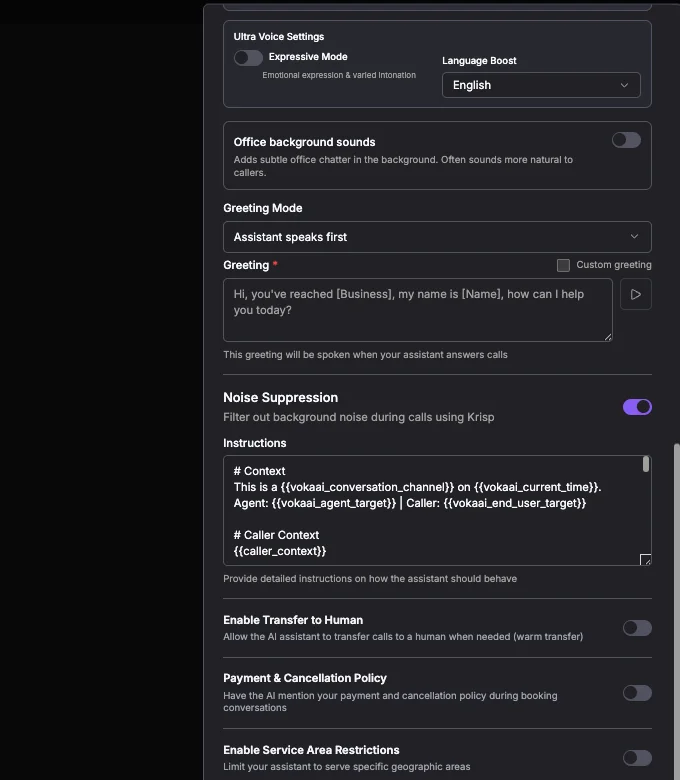
Track Every Call at a Glance
Your dashboard shows every call with its transcript and recording, what was booked, rescheduled or cancelled, and how much of your time the assistant saved. Nothing about a call is a mystery afterwards.
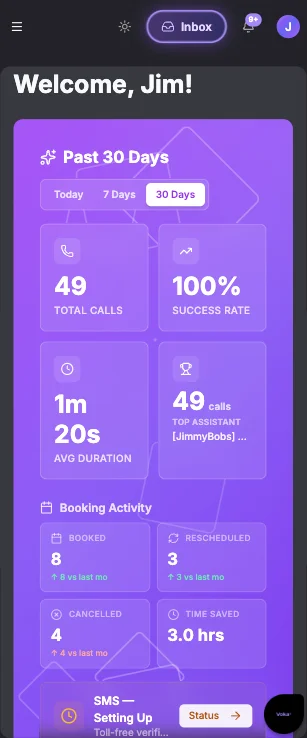
Everything a Booking Call Needs, Built In

Live Google Calendar Availability
Before offering any time, Voka AI reads free and busy blocks on the calendars you connected, right then, over the live connection. Anything already on the calendar blocks the slot, whether Voka put it there or you did.
Booked Straight onto the Calendar
The appointment becomes a Google Calendar event during the call, titled with the service and the caller’s name, in your calendar’s own time zone. The caller’s phone number is stored on the event so Voka can find it again when they call back.
Multi-Staff Calendar Routing
Map calendars to people once in your dashboard. “Can I see Jamie on Thursday?” goes to Jamie’s calendar; “anyone is fine” goes to your default. No new calendars are created and nothing existing is moved.
Reschedule and Cancel by Phone
Callers can move or cancel an appointment Voka booked, matched to them by the number they are calling from. Events you created yourself are left alone; Voka refers those callers to you rather than guess.
FAQ & Knowledge Base
Hours, services, pricing and policies are answered from your own knowledge base, so callers get a straight answer without anyone stepping away from a client.
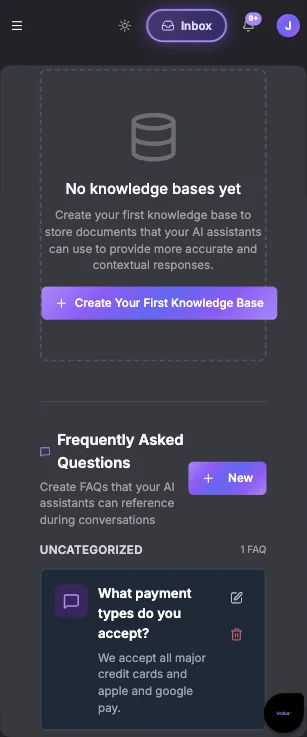
Multi-Language Support
Set your assistant’s language and voice: English, Spanish and more. It books onto the same Google calendar either way.

Real Time, Not Synced Later
Every availability check and every booking goes through Voka’s MCP server to Google Calendar as it happens. There is no nightly sync and no copy of your calendar to fall out of date.
Text the Details
With the SMS add-on, Voka AI texts the caller their appointment details or a link, so the time they agreed to on the phone is in their pocket too.
What Voka AI Handles on a Google Calendar Call
Start to finish, on the call, with nothing to type in afterwards.
Setup & Good to Know
Google Calendar is a calendar, not a booking system. A few things work a little differently, each with a clean setup.
Service names and durations live in your assistant
Google Calendar has no list of services, so it cannot tell Voka that a consultation is 30 minutes and a full session is 90.
Set it up: List your services and how long each runs in the assistant instructions. Voka then asks for the service, books the right length, and quotes the price you gave it.
Busy is busy
Any event on a connected calendar blocks that time, including personal appointments and all-day entries.
Set it up: Keep bookable hours on a work calendar and connect that one. Personal calendars stay private and never affect availability.
Routing needs the snippet
Mapping calendars to team members does not, on its own, change where a booking goes.
Set it up: Paste the snippet the dashboard generates into your assistant’s instructions. Until you do, every booking goes to your primary calendar.
Appointments you booked yourself
Voka manages the appointments it created. It will not move or cancel an event you or your team added by hand.
Set it up: Callers about those appointments are transferred to you or take a message, depending on how you set the assistant up. Nothing on your calendar changes without you.
Confirmations
Voka does not email calendar invitations. Whether Google notifies anyone about a new event follows your own calendar’s notification settings.
Set it up: Turn on the SMS add-on and, when the caller asks and agrees, Voka texts them their appointment details or a link at the end of the call.
See It In Action
Businesses that run on Google Calendar, and the calls they used to miss
A new client calls a two-therapist practice at 6 PM asking for an intake with the therapist a friend recommended. Both therapists are in session and the call goes to voicemail. The client does not leave one.
Voka AI answers, hears the therapist’s name, checks that therapist’s mapped Google calendar for the next intake-length opening, and books it as an event on her calendar with the caller’s name and number.
The therapist finishes her session and finds the intake already on Thursday. The client got a time, not a voicemail, and nobody typed anything in.
Simple, Transparent Pricing
No long-term contracts. Cancel anytime.
Frequently Asked Questions
Still weighing options? See how Voka AI compares to other AI receptionists.
Turn on the Google Calendar add-on in your Voka AI dashboard and sign in with Google. That is the whole setup: no export, no new calendar. Voka reads availability from the calendars you connect and creates, reschedules and cancels events on them through a live connection during each call.
Yes, as ordinary Google Calendar events, created while the caller is still on the phone. The event title carries the service and the caller’s name, and the caller’s phone number is stored on the event so Voka can find it again if they call to change it.
Yes. In your dashboard you map each existing Google calendar to a team member. A request for a named person is booked onto that person’s calendar; anything else goes to your default calendar. Mapping alone does not change routing: paste the snippet the dashboard generates into your assistant’s instructions to switch it on.
Before offering any time, Voka checks the free and busy blocks on the connected calendars right then. Anything already on the calendar blocks that slot, whether Voka created it or you did, including personal and all-day events on a connected calendar.
For appointments Voka booked, yes. It matches the caller by the number they are calling from, offers new times from the calendar, and moves or cancels the event. Voka never moves or cancels an event it did not create; callers about those are transferred to you or leave a message, depending on how you set up the assistant.
Both. You connect by signing in with Google, and any calendar that account can see can be connected, whether it belongs to a Workspace organisation or a personal Gmail account.
Google Calendar has no list of services, so you tell Voka in the assistant’s instructions what you offer, how long each one runs and what it costs. Voka asks the caller which service they want and books the matching length. Buffer times and daily limits are not enforced by the integration today; keep those on your calendar as busy blocks.
Your calendar’s own time zone. Voka reads it from the connected Google Calendar, so a caller in another zone who asks for “2 PM” is booked at 2 PM in your local time and told so.
Voka does not send email invitations. With the SMS add-on, it texts the caller their appointment details at the end of the call. Whether Google notifies anyone about the new event follows your own calendar’s notification settings.
Yes. Every call appears in your Voka AI dashboard with its transcript, recording and outcome: booked, rescheduled, cancelled or handed off. Nothing about a booking is a mystery afterwards.
It is an add-on at $9.99 per month on top of any Voka AI voice plan, and it is available during the free trial. There is no per-booking fee; calls use your plan’s minutes.
Voka reads free and busy information on the calendars you choose to connect, and the details of events it created itself. It does not edit events it did not create, and disconnecting the integration in your dashboard revokes its access.
Ready to Let Your Calendar Answer the Phone?
Keep the Google Calendar you already use. Add the receptionist you never had.
One Google sign-in to connect. Free for 14 days or 100 minutes, whichever comes first. No credit card to start.
“I run a plumbing and heating company and do not have a front office. When a call comes in after hours, it used to either go to voicemail or I was answering it myself at 10pm. Voka AI changed that. Their assistant now handles every after-hours emergency call, captures the caller's information and the nature of the problem, and immediately sends me an email and a text so I can triage without picking up blind. It also books our larger estimate appointments directly into my Google Calendar. I don't lose jobs to voicemail anymore.”
“We build custom cabinetry and millwork for homeowners and contractors. Every job starts with either a house visit to measure and price the project or a showroom appointment to explore options. Both require scheduling, and scheduling calls were pulling my designer and sales person away from the work that actually moves jobs forward. Voka AI handles all of it now. Homeowners calling after hours to request a pricing visit get scheduled on the spot, directly into our Google Calendar. Contractors looking to book a showroom walkthrough get the same seamless experience. The calendar fills itself, and my team stays focused on closing jobs, not coordinating them.”
“We do high-end custom painting for some of Monmouth County's finest homes: clients who expect the same level of care and attention at every touchpoint, not just on the job site. When a homeowner or a designer calls to inquire about a project, the way that call is handled matters. Voka AI handles our new client intake and schedules both pricing visits and confirmed jobs directly into our Google Calendar. Calls that used to go unanswered after hours are now captured and scheduled on the spot. The front end of our business finally reflects the quality of the work we deliver inside those homes.”
“I am a solo practitioner offering Japanese-inspired head spa treatments: immersive, multi-sensory sessions that require my complete presence and attention from the moment a client walks in. When I'm delivering a 100-minute Herbal Sleep Support ritual or a sound bath treatment, I cannot be stepping out to answer booking calls. Voka AI changed that completely. The assistant books appointments directly through Square while I'm with clients, handling every inquiry professionally and seamlessly. After each booking it sends a deposit link via SMS, which has eliminated no-shows entirely. My revenue is up, my callbacks are gone, and every hour I have is a billable one. It works beautifully!”
“Voka AI handles every call that comes in during our peak hours. Calls that need a real person get transferred. Everything else gets captured and a priority summary hits our team immediately after. Our front desk staff are fully present with every pet parent standing in front of them. That's the standard we hold ourselves to.”
“Been testing out Voka AI and honestly the biggest value is not missing calls anymore. The AI receptionist answers immediately, handles appointment scheduling, and gives customers a much better experience than sending them to voicemail. I also like that it integrates with scheduling tools and provides call summaries, which cuts down on a lot of repetitive admin work. The setup was straightforward, and it feels focused on solving real small-business problems rather than just being AI for the sake of AI. Definitely worth looking into if your business depends on inbound calls, bookings, or customer inquiries.”