Connect Voka AI to Acuity Scheduling
One authorization inside Acuity and your appointment types, calendars, intake forms and live availability are all readable by the assistant — and every booking it takes lands on your Acuity calendar in real time.
Four steps, a few minutes, no API keys.

You do not need Acuity Premium to connect. Acuity gates its per-account API key to Premium, but that is a different thing from the OAuth connection Voka uses — booking works on a Standard account today.
Connecting
Check what your plan actually gates
In AcuityAccount›BillingBooking works on Standard — you do not need Premium to connect. What your tier decides is narrower: packages, memberships and gift certificates start at Standard, Acuity’s own text reminders start at Standard and never send on a trial, and your calendar count is capped at one on Starter, six on Standard and thirty-six on Premium.
Since calendars are how Acuity models both staff and locations, count the people and places a caller might choose between and check that against the cap before you connect.
Authorize Voka AI inside Acuity
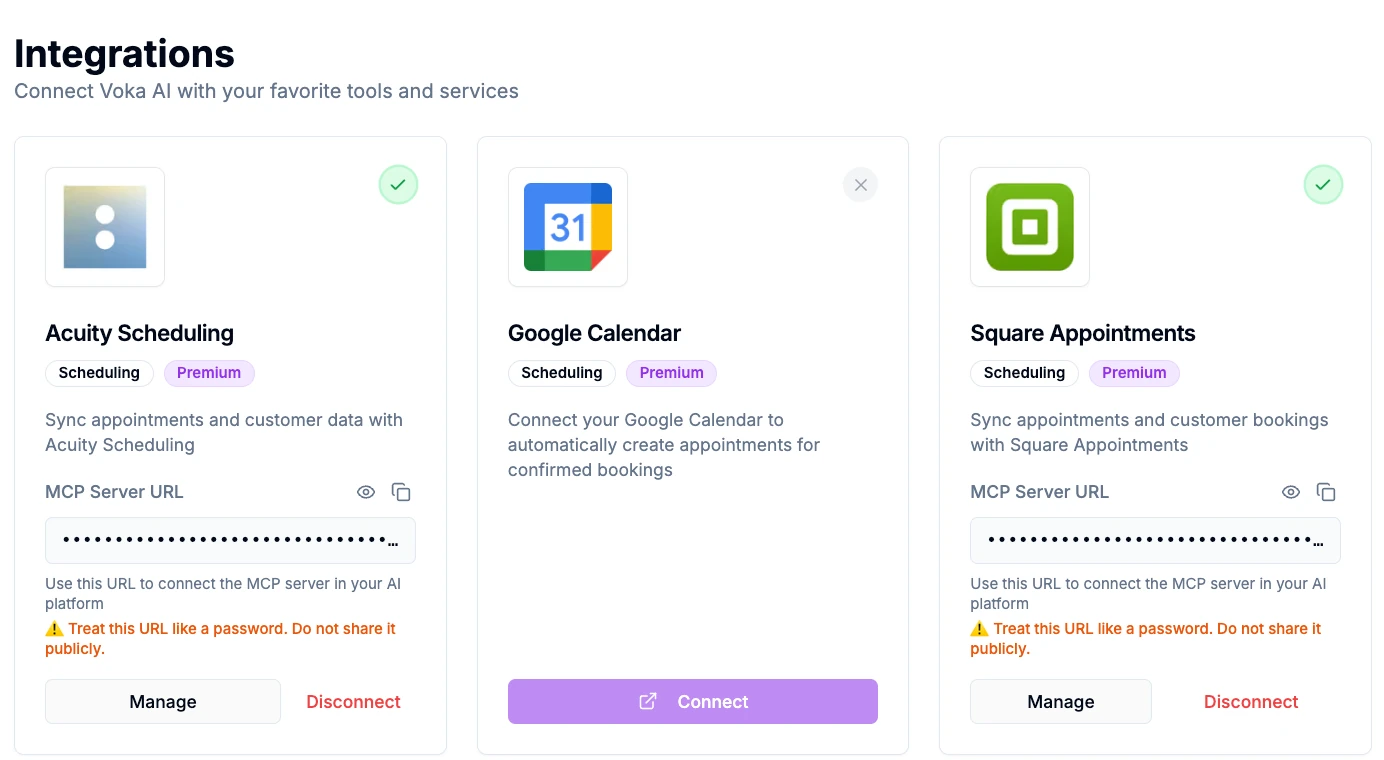
In VokaIntegrations›Apps›Acuity Scheduling›ConnectClick Connect and you are sent to Acuity’s own authorization screen. Sign in as the account owner and approve. You are returned to Voka and the card flips to Connected.
No API keys are copied anywhere. Acuity issues a single permission covering its scheduling API — it has no granular per-feature permissions the way some platforms do. That one grant is what lets Voka read your appointment types, calendars, availability and intake forms, and write bookings back.
Because it is all-or-nothing on Acuity’s side, the limits on what Voka actually does are set in Voka rather than at the consent screen — every optional behaviour, from add-ons to call notes to payment links, is off until you switch it on.
Decide whether calendars mean people or places
In AcuityAvailability›CalendarsThis is the one structural decision worth making before you go live. Create one calendar per staff member if your clients ask for a person, or one per location if they ask for a place — Acuity cannot cleanly do both dimensions at once.
Fill in each calendar’s location field with something a caller would recognise, like the neighbourhood or the street, rather than “Calendar 2”.
Verify the sync with a real call
In VokaAnalytics›CallsRing your Voka number and book something small. Open the appointment in Acuity and check that it landed on the right calendar, at the right length once padding is counted, with the intake answers filled in.
If anything is off, the call log has the recording, the transcript and what Acuity returned, which is usually enough to see the cause straight away.
Disconnecting, and revoking properly
Disconnecting is two separate actions, and both matter if your intent is to end Acuity’s trust in Voka entirely. Disconnecting inside Voka stops Voka using the connection and clears the stored credentials on our side. It does not revoke the authorization you granted in Acuity — to remove that, sign in to Acuity, open Integrations, find Voka AI and revoke access.
Appointments already in Acuity are untouched either way. Disconnecting removes Voka’s access; it never deletes your calendar.
Deleting the data Voka imported
Disconnecting does not by itself delete data Voka previously read from Acuity, such as cached appointment types and client records used to answer past calls. To have that removed, email support@vokaai.com from the address on your Voka account with the subject “Delete Acuity data”, confirming that you authorize the deletion. We delete it within 30 days and confirm in writing.
When something does not appear
An appointment type is missing
Check whether it is marked Private in Acuity. A private type is deliberately off the phone as well as off your booking page. Also confirm it is assigned to at least one calendar — a type no calendar offers has nowhere to be booked.
A booking dead-ends part-way through
Look for a required file-upload intake question on that appointment type. Acuity’s API cannot accept a file from a phone booking, so a required one makes the type unbookable by phone. Make it optional, or keep that service online-only.
A caller wanted a course and was turned away
That is deliberate. Voka recognises a multi-week series and declines rather than booking a single session of it, which would leave the client believing they had signed up for the whole course. It points them at your booking page instead.
It connects, but the assistant books badly
That is configuration rather than connection. Work through Fine-Tuning Acuity Scheduling for Voka AI — appointment type names, calendars, intake answers, packages and reminders.
Frequently asked questions
Do I need to upgrade my Acuity plan to connect Voka AI?
No. Voka connects to Acuity by OAuth, and booking works on a Standard account — reading availability, booking, rescheduling and cancelling. Acuity gates its per-account API key to Premium, but that is a different thing from the OAuth connection Voka uses. What is genuinely plan-dependent is narrower: packages, memberships and gift certificates need Standard or above, Acuity’s own text reminders need Standard or above and never send during a trial, and your calendar count is capped by tier — one on Starter, six on Standard, thirty-six on Premium.
How do Acuity calendars map to my staff and locations?
Acuity has no separate location object — a calendar is either a staff member or a location, and the location is a free-text field on that calendar. So create one calendar per staff member if clients ask for a person, or one per location if they ask for a place. You cannot cleanly model both dimensions at once. One practitioner working at two sites is handled properly: Voka checks both of their calendars together and offers every time that person is genuinely free.
Does disconnecting in Voka AI revoke Acuity access completely?
Not on its own. Disconnecting in Voka stops Voka using the connection and clears the stored credentials on our side. It does not revoke the authorization you granted inside Acuity. To remove that as well, sign in to Acuity, open Integrations, find Voka AI and revoke access. Doing both is what fully ends the connection.
Why can a caller not book one of my appointment types?
Check three things. An appointment type marked Private is deliberately off the phone as well as off your booking page. A required file-upload intake question makes that type unbookable by phone, because Acuity’s API cannot accept a file from a phone booking. And a multi-week series is declined on purpose rather than booking one session of it, which would leave the client thinking they had signed up for the whole course.
Will Voka AI ever take a card over the phone?
No. Voka never asks a caller to read out a card number. When payment collection is on, it books the appointment and then texts a secure Acuity payment or deposit link, and the caller pays on Acuity’s own hosted checkout.
How long does connecting take?
A few minutes. You authorize Voka inside Acuity once, and your appointment types, calendars, intake forms and availability sync automatically. There are no API keys to copy.
Related
Acuity platform behaviour described here was verified against Acuity’s own developer and help-centre documentation on September 3, 2026, and against a live Standard account connected to Voka. Menu paths follow the Acuity dashboard as of that date and may move. Acuity Scheduling is a Squarespace company. Voka AI is an independent product that connects to Acuity through its public API, and is not affiliated with, endorsed by, or sponsored by Acuity or Squarespace. Last updated September 3, 2026.